
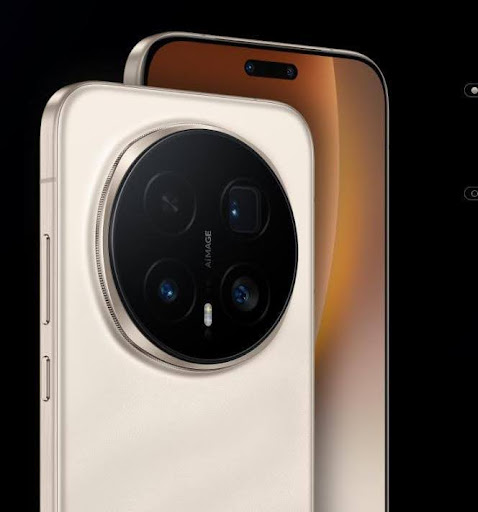
HONOR phones offer a plethora of hidden features that elevate the smartphone experience beyond ordinary use. With innovations embedded in their MagicOS software, HONOR devices provide advanced multitasking tools, smart display tricks, and robust privacy tools. In this blog, we’re uncovering these hidden gems and offering tips on leveraging them for enhanced productivity and personalization. Discover how features like floating windows can boost multitasking, while Magic Live personalizes your user interface seamlessly. HONOR’s focus on eye care shows with blue-light filters, ensuring optimal viewing at all times, and robust security tools put your privacy first. This guide is for those seeking to exploit every corner of their HONOR phone, allowing you to take full advantage of these smart features and unlock their potential. Dive in, and make your HONOR smartphone experience truly remarkable.
What is MagicOS — the software behind HONOR phones
MagicOS is the heart of HONOR smartphones, offering a dynamic interface and innovative features designed for optimal efficiency and user experience. As HONOR’s proprietary system, MagicOS integrates technologies that enhance functionality while maintaining simplicity. It offers intuitive design choices that streamline daily tasks, from navigation to multitasking. Focused on automation and AI-driven solutions, MagicOS helps you manage interactions and activities with ease, ensuring a seamless transition between apps and features. Smart capabilities like YOYO suggest and adapt based on user behavior, elevating personalization and providing a more tailored smartphone experience. Additionally, MagicOS prioritizes security with its robust data protection features, making it a guardian of privacy. HONOR users benefit from MagicOS’s balance between cutting-edge innovation and user-friendly operation, establishing itself as one of the standout operating systems in today’s tech landscape.
Multitasking & Productivity Tools
Floating windows and split-screen mode
HONOR phones leverage floating windows to enhance multitasking capabilities. This feature allows apps to remain accessible while performing other tasks, reflecting HONOR’s commitment to productivity. Users can resize and reposition these windows, maintaining focus on essential details without compromising functionality. Split-screen mode complements this, enabling users to operate two applications simultaneously — a boon for professionals needing to reference documents while drafting emails or for students attending video calls while noting lessons. Together, these capabilities empower users to maximize efficiency, transforming how daily smartphone interactions occur.
Quick save: three-finger screenshot & content collection
HONOR’s streamlined screenshot feature offers convenience with a simple three-finger swipe. This intuitive gesture replaces clumsy button combinations, letting users capture information swiftly. Beyond ease, captured content can be neatly organized using HONOR’s content collection tools, allowing users to categorize screenshots for various projects or tasks. This systematic approach minimizes clutter, providing quick access to relevant details. Such innovations reflect HONOR’s dedication to user-friendly experiences, merging simplicity with powerful functionality for effective content management.
Smart Display & Viewing Tricks
Locking resolution and refresh rate for crisp display
HONOR ensures a consistently top-tier viewing experience with features that lock screen resolution and refresh rate. Users can set preferences that optimize clarity and smoothness, making everyday interaction visually richer. This control helps stabilize performance, reducing strain on the device, and extends the battery life by avoiding unnecessary variability. HONOR’s attention to display quality ensures vibrant and precise visuals across diverse media formats, underscoring its emphasis on delivering aesthetic pleasure alongside technical efficiency.
Eye care and night viewing: Circadian Night Display & blue-light filters
HONOR phones prioritize eye care with features like Circadian Night Display, adapting screen lighting to correspond with ambient conditions. The integration of blue-light filters further facilitates comfortable night viewing, minimizing strain and fostering healthier usage trends. Users can customize these settings to suit individual needs, ensuring both day and night smartphone interactions are optimized for comfort. This commitment to eye health complements HONOR’s overarching goal of harmonious technology interactions that respect natural rhythms and enhance user well-being.
Video Enhancer & vivid video playback
HONOR’s Video Enhancer feature amplifies video quality for a dynamic viewing experience. It enriches colors and sharpens details, transforming standard playback into vibrant, engaging content consumption. Users discover new depths in media, with HONOR’s focus on visual excellence enhancing entertainment.
Personalization & UI Customization
Home screen, wallpapers, and icon packs
HONOR phones enable personalization through diverse home screen customization options, offering myriad wallpaper choices and adaptable icon packs. Users mold their smartphone environment to reflect personal aesthetics, creating individuality in device appearance. Tailoring the home screen becomes effortless, facilitating distinctive expression alongside practical utility. HONOR’s focus on aesthetics and functionality lets users redefine their interface, achieving personalized, efficient interactions that resonate uniquely with each user’s preferences.
Smart suggestions and adaptive UI: YOYO & Magic Live features
Integrating AI-driven features like YOYO and Magic Live into the HONOR interface allows automation and smart suggestions to refine usage patterns. These technologies learn from user habits, predicting needs and offering relevant app suggestions, streamlining navigation. By adapting in real-time, these features create a responsive environment where efficiency is paramount. HONOR’s integration of intelligence into UI customization reflects its drive to sculpt user-friendly systems that anticipate needs, crafting seamless and tailored technology interactions.
Gesture navigation and navigation alternatives
HONOR phones offer gesture navigation alternatives, freeing users from reliance on traditional buttons. With simple swipes and taps, users navigate quickly and intuitively, streamlining action and reducing complexity. HONOR provides choice and flexibility, allowing users to select the navigation methods best suited to their comfort and style, enhancing usability and interaction fluidity across diverse operational scenarios.
Privacy, Security & Device Recovery Tools
App Lock and App Clone / App Twin for multiple accounts
HONOR enhances privacy through App Lock, providing layered security for sensitive content. Users safeguard apps with personal authentication, ensuring secure access. Complementing this is App Clone / App Twin, enabling multiple accounts on a single app. This feature supports differentiation between personal and professional use, maintaining privacy while maximizing application utility. HONOR’s dedication to secure, adaptable functionality reflects a balanced approach to comprehensive mobile security.
Device tracking and “Find Device” support
HONOR’s device tracking systems like “Find Device” provide seamless recovery options in case of loss. Users can remotely locate their phone, adding security and peace of mind. HONOR combines intuitive controls with robust recovery service, ensuring devices remain secure amidst potential threats, maintaining continuity and reliable usage.
Hidden apps — manage and reveal hidden applications
HONOR phones incorporate features to manage hidden apps, allowing users to reveal or conceal applications based on needs. Such controls ensure privacy and organizational clarity, granting users authoritative control over app visibility.
Conclusion
The HONOR Magic 8 Pro price distinguish themselves by embedding user-centric hidden features within MagicOS, transforming conventional smartphone experiences. From multitasking prowess to advanced display settings, personalization options, and reinforced privacy measures, HONOR champions optimal interaction and security. By exploring these facets, users unlock new potentials, elevating daily interactions beyond standard expectations. HONOR’s integration of innovative technologies encourages an immersive experience, prioritizing comfort, security, and personalization. Embrace these hidden features, and propel your HONOR phone use into realms of unmatched efficiency and satisfaction.